How to release grades
- From your course page, click on the quiz activity,
- Click on Settings from the Course Banner,

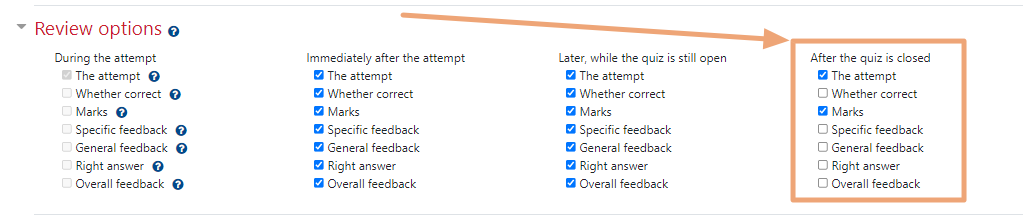
- Scroll down and expand Review options and ensure that Marks is checked under After the quiz is closed. You may also select other option to release to your students such as The attempt, Overall feedback, etc.
- Click Save and return to course or Save and display at the bottom of the page.
For a full list of options, click here.